n8n Inistate Approval Workflow: SMTP Approve/Reject Emails
n8n Inistate Approval Workflow: SMTP Approve/Reject Emails
Regular price
£21.99
Regular price
£21.99
Sale price
Unit price
per
⬇
Instant Digital Download
∞
Unlimited Downloads
★
Lifetime Access in Your Account
Couldn't load pickup availability
🔥
128+ Sold
Popular with n8n builders
⚡
23 people viewing
High interest right now
✅
9 added today
Fast-moving digital product

n8n Inistate Approval Workflow: SMTP Approve/Reject Emails
Regular price
£21.99
Regular price
£21.99
Sale price
Unit price
per
Automatically approve or reject Inistate entries by email (with SMTP buttons)
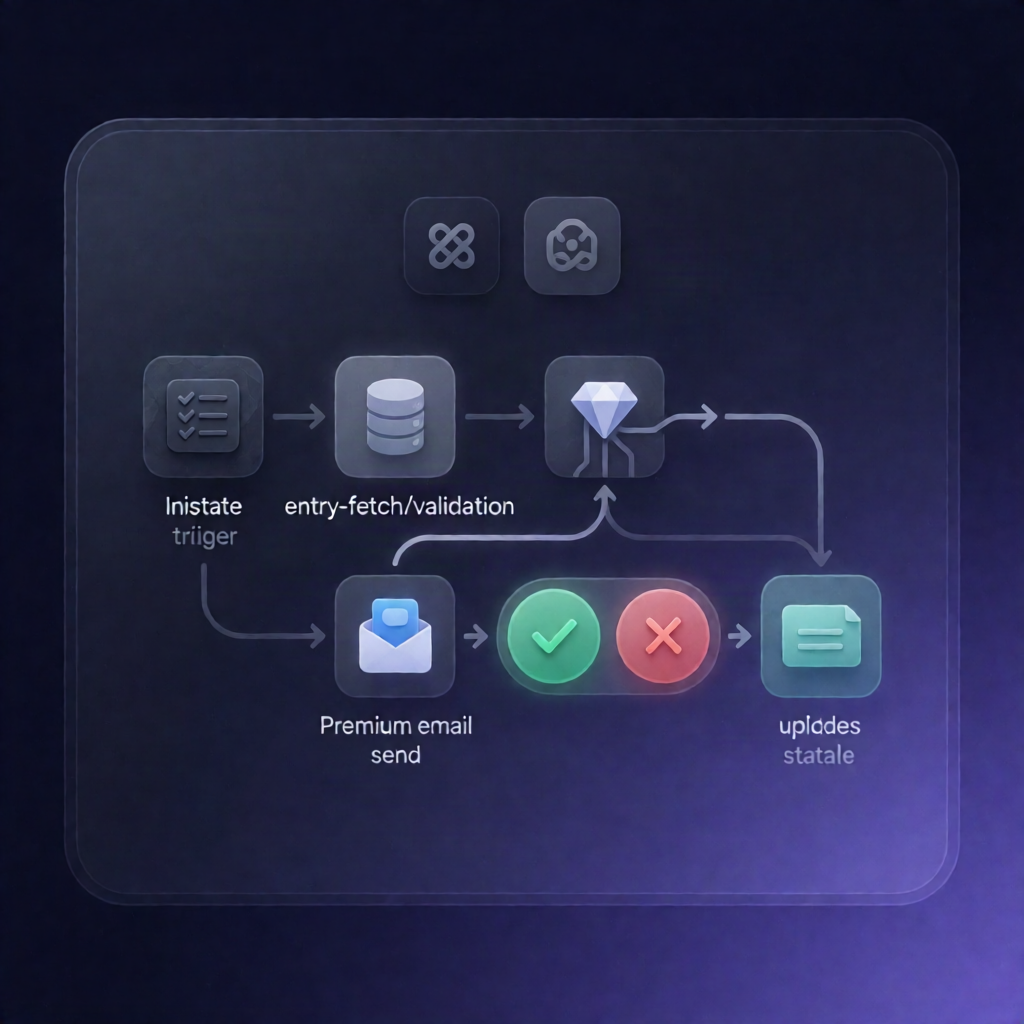
If an Inistate entry moves into your chosen approval state, this n8n workflow sends an SMTP email to an approver with Approve and Reject buttons—then updates the entry only when a valid response is received within your configured timeout.
What this workflow does
- Triggers on state change: It starts when an Inistate entry changes into the selected approval state (e.g., “Pending Approval”).
- Validates the action is still available: It fetches the full entry details from Inistate and checks whether the configured “Approve” activity is currently available.
- Sends an approval email via SMTP: The workflow builds an email containing entry metadata and field values, sends it through SMTP, and includes Approve/Reject buttons.
- Waits for a response: It waits up to the configured number of days for the approver response.
-
Timeout-safe behavior: If no response arrives before the timeout, the workflow stops and
. - Prevents overwriting changes: After a response, it re-reads the entry from Inistate and verifies the same approve/reject activity is still available.
- Applies the matching activity: Finally, it performs the correct Inistate approve or reject activity for the entry.
Use cases
- Business approvals: Route requests (tracked in Inistate) to an approver who can confirm via email buttons.
- Controlled review windows: Use the timeout to ensure approvals happen within a defined SLA.
- Change-safe approvals: If the entry changes while waiting, the workflow re-checks activity availability before applying updates.
Technical details
- Inistate integration: Uses the n8n-nodes-inistateinistate node to trigger on state changes and perform approve/reject activities.
- Logic nodes: Uses if, set, and no op to control flow based on activity availability and response timing.
- Email delivery: Uses email send with an SMTP credential, configurable “from” address and approver email address.
- Workflow notes: Includes a sticky note for setup guidance.
Setup reminder: Configure approve and reject activity names to exactly match those in Inistate, and select the same Inistate workspace/module in every Inistate node.